> ## Documentation Index
> Fetch the complete documentation index at: https://guides.affiliate.com/llms.txt
> Use this file to discover all available pages before exploring further.
# Connect an AI agent over MCP
> Search products, look up merchants and networks, and convert product identifiers through an MCP-compatible AI client instead of writing REST integration code.
Affiliate.com exposes an [MCP](https://modelcontextprotocol.io) (Model Context Protocol) interface alongside the REST API, so an MCP-compatible AI client — Claude Code, Claude Desktop, Cursor, or any other MCP client — can search products, look up merchants and networks, and convert product identifiers directly through natural-language tool calls.
MCP is a separate interface from the REST API: different host, different tools, different authentication.
MCP requires an active MCP subscription on your account. A request from an account without one returns `403 Forbidden`.
## Connecting
MCP servers are hosted on their own domain, not `api.affiliate.com`:
```
https://mcp.affiliate.com/{server}
```
Five servers are available, each exposing a different set of tools:
| Path | Tools |
| ------------- | ------------------------------------------------------------------------------------------ |
| `/product` | `search-products` |
| `/merchant` | `list-merchants`, `get-merchant` |
| `/network` | `list-networks`, `get-network` |
| `/conversion` | `asin-to-barcode`, `barcode-to-asin`, `barcode-to-sku`, `sku-to-barcode`, `url-to-barcode` |
| `/all` | Every tool above, on one server |
Use `/all` unless your client benefits from a narrower toolset — for example, to keep an agent's available tools focused on one domain.
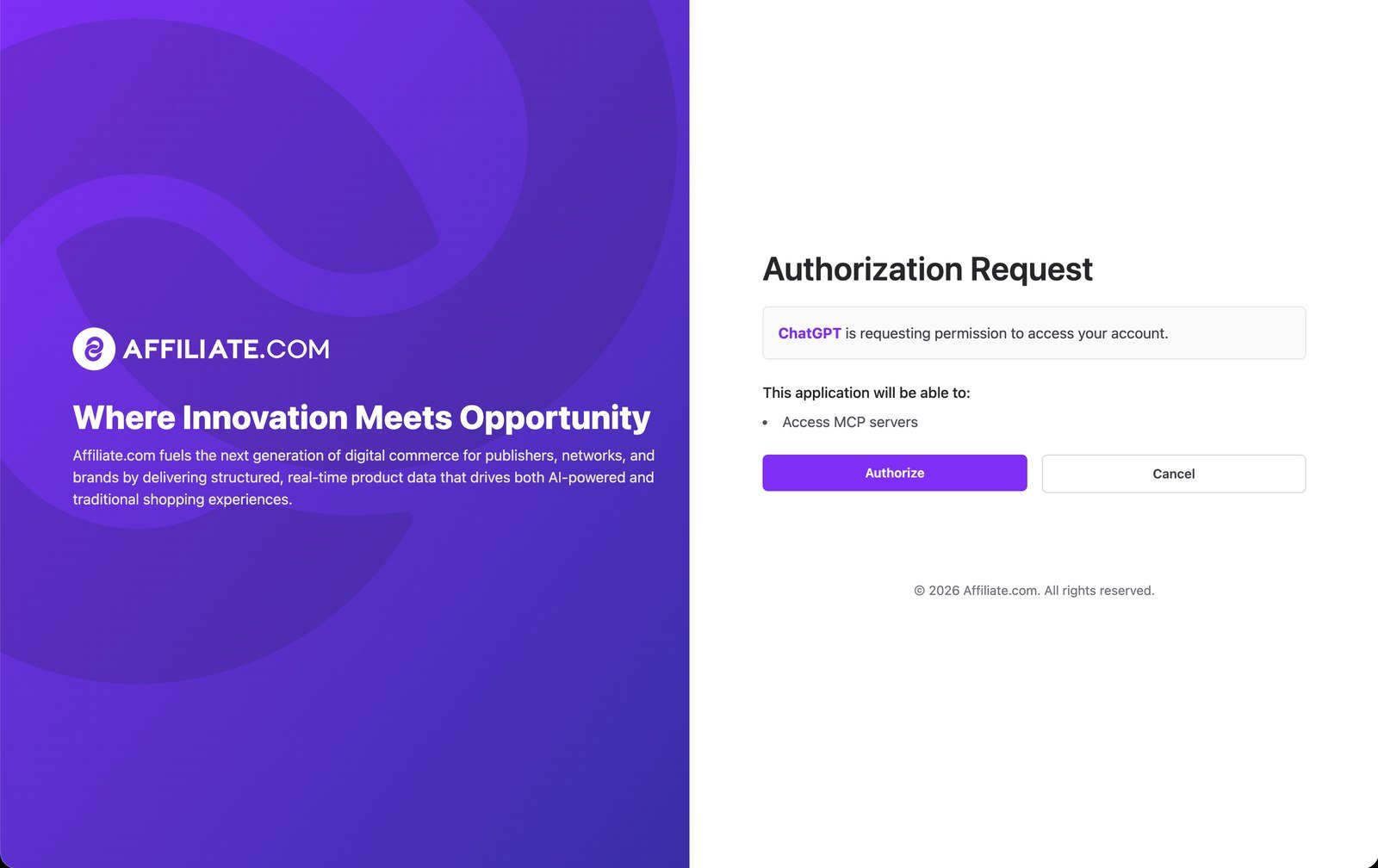
Authentication is **OAuth 2.1** — there is no API key or bearer token to configure. Your MCP client discovers the authorization endpoints automatically and walks you through sign-in the first time you connect.
 Go to **Settings → Apps → Advanced Settings** and enable **Developer mode**.
Click **Create App**:
* Name: `Affiliate.com` (or any name you prefer)
* MCP Server: `https://mcp.affiliate.com/all`
* Check "I understand and want to continue"
* Click **Create**
In the chat box, click **+ → More… → Affiliate.com**.
A ChatGPT Plus or Pro account is required to use this feature.
Go to **Settings → Connectors → Add custom connector**.
Click **Create App**:
* Name: `Affiliate.com` (or whatever you prefer)
* Remote MCP Server URL: `https://mcp.affiliate.com/all`
* Click **Add**.
```bash theme={null}
claude mcp add --transport http affiliate https://mcp.affiliate.com/all
```
Complete the OAuth sign-in flow when your client prompts for it.
## Example prompts
Once connected, ask your AI client things like:
* "Find 50 merchants with 20,000+ products that have logos. Show me their network info and their logo image URLs."
* "What are the barcodes for these ASINs? B08DH979F7 and B09LNWG826"
* "Find laptops between \$500–\$700 USD, sorted by price. Give me also their PDP URLs."
* "I'm looking for a comfortable office chair for back pain, my budget is \$400, and I prefer buying it from Walmart."
* "Find 10 Sony or Samsung headphones under \$100 USD that are on sale now. Avoid duplicates. I need their product info, merchant and network info, and PDP URLs."
* "Compare Nike vs Adidas running shoes — get merchant and price stats."
## Rate limits and usage
The same per-account rate limits that apply to the REST API apply to MCP requests.
Each tool call also consumes account credits, at a weight that reflects the work it does:
| Tool | Credits |
| ---------------------------------------------------------------------------- | ------- |
| `search-products` | 4 |
| `list-merchants`, `list-networks` | 2 |
| Everything else (`get-merchant`, `get-network`, and all `/conversion` tools) | 1 |
## Tools
### `search-products`
`/product`, `/all`
Search and filter products — the same field/value/operator search used by [`POST /v1/products`](/api-reference/products/search), with a reduced operator set and feature list tuned for AI clients.
| | |
| ------------------- | ----------------------------------------------------------------------------------------------------------------------------------------------------------------------------------------------------------------------------------------------------------------------------------------------------------------------------------------------------------------------------------------------------------------------------------------------------------------------- |
| **Fields** | id, name, description, any · regular\_price, final\_price, on\_sale, sale\_discount, currency · brand, category, color, condition, country, gender, genre, manufacturer, model, size, material, author, artist, publisher, subtitle, tags · barcode, sku, mpn, asin · network.id, network.name · merchant.id, merchant.name · in\_stock, stock\_quantity, availability, commissionable\_status · url, direct\_url, image\_url, commission\_url · added\_at, updated\_at |
| **Operators** | Text: `=`, `!=`, `LIKE`, `NOT LIKE`, `IS NULL`, `NOT NULL`. Numeric/date: `=`, `!=`, `<`, `<=`, `>`, `>=`, `BETWEEN` |
| **OR conditions** | `"field": "name\|\|brand"` searches multiple fields · `"value": "Nike\|\|Adidas\|\|Puma"` matches any value · `"value": "50\|200"` (single pipe) is a `BETWEEN` range |
| **Facets** | `network`, `merchant`, `final_price` only |
| **Field filtering** | `fields` limits the response to the fields you name (dot notation for nested fields, e.g. `network.name`); omit it and every field is returned |
| **Pagination** | Page-based, maximum 100 products per page |
Natural-language query rewriting, semantic search, and image-based search are not available on this tool.
### `list-merchants`
`/merchant`, `/all`
List merchants with filtering, search, and pagination.
* **Standard mode** (default): filter by network IDs, presence of icon/logo/description/domains, and product count range.
* **Extended mode** (`extended: true`): adds category (id or name), canonical hierarchy, country (origin/market/generic), currency, feed language, approval status (`relationship_status`), approval scoped to a network credential (`credential_id`), promotion count range, plus `country_ids` / `origin_ids` / `shopnomix_campaign_ids`. In extended mode, `network_ids` accepts prefixed IDs (`rnet_` for regional networks, `net_` for canonical networks).
* `search` matches merchant name or domain.
* Pagination: page-based, maximum 100 per page.
### `get-merchant`
`/merchant`, `/all`
Get full details for one merchant by `id`. Pass `include_deleted: true` to also retrieve archived (soft-deleted) merchants.
### `list-networks`
`/network`, `/all`
List networks with filtering, search, and pagination — filter by `group_ids`, `country_ids`, or `record_type` (`products` or `coupons`); search by network name; sort by name, merchant count (total or active), product count, or country. Pagination: page-based, maximum 100 per page.
### `get-network`
`/network`, `/all`
Get full details for one network by `id`, including its country and network group.
### Conversion tools
`/conversion`, `/all`
Five tools convert between product identifier types:
| Tool | Converts | Limit per request |
| ----------------- | ------------------------------------------------------------- | ----------------- |
| `asin-to-barcode` | Amazon ASINs → barcodes (EAN/UPC), given a marketplace locale | 10 |
| `barcode-to-asin` | Barcodes (EAN/UPC) → Amazon ASINs | 20 |
| `barcode-to-sku` | Barcodes → merchant SKUs | 100 |
| `sku-to-barcode` | Merchant SKUs → barcodes | 100 |
| `url-to-barcode` | Product URLs → barcodes | 100 |
`barcode-to-sku` and `sku-to-barcode` need a merchant, identified by either `merchant_name` (e.g. `"walmart"`) or `merchant_url` (any URL on the merchant's domain).
### Response shape
Every tool returns the same top-level structure:
```json theme={null}
{
"meta": { "...": "tool-specific metadata, e.g. pagination or conversion counts" },
"data": "the result — an object, or an array for list/conversion tools"
}
```
Values that can't be resolved come back as `null` or an empty array in `data`, not an error.
## Best practices
* **Be specific.** More specific queries return better results — "wireless over-ear headphones under \$100 from Sony or Bose" beats "headphones." Include brand, price range, or category when you know them.
* **Use facets to explore.** Before drilling into a large result set, ask for facets to see its shape: "Search for 'running shoes' with merchant and price facets."
* **Paginate by page number.** Ask for a specific page — "Get page 2 of the laptop search results" — every list and search tool paginates this way.
* **Chain tools for multi-step tasks.** For example: search for products by keyword, pull barcodes for the ones you like, then convert those barcodes to ASINs to check Amazon availability. The `find-products-by-merchant` and `find-products-by-region` [prompts](#prompts) below already encode the most common chains.
## Prompts
Beyond tools, the `/product`, `/merchant`, `/network`, and `/all` servers also expose MCP **prompts** — pre-built templates for common multi-step tasks that an MCP client can invoke directly:
| Prompt | What it does |
| ----------------------------- | ------------------------------------------------------------------------------------------------- |
| `find-products` | Plans a `search-products` call from a natural-language query. |
| `count-products` | Plans a count-only `search-products` call. |
| `format-search-results` | Style guide for presenting `search-products` output (count, list, or comparison). |
| `find-products-by-merchant` | Finds products at a specific merchant by chaining `list-merchants` → `search-products`. |
| `find-products-by-region` | Finds products from networks in a country/region by chaining `list-networks` → `search-products`. |
| `disambiguate-merchant` | Picks the right merchant ID from an ambiguous name search. |
| `inspect-merchant` | Retrieves full merchant details by ID or name, resolving ambiguity automatically. |
| `audit-merchant-data-quality` | Finds merchants missing metadata (icon, logo, description, domains). |
Go to **Settings → Apps → Advanced Settings** and enable **Developer mode**.
Click **Create App**:
* Name: `Affiliate.com` (or any name you prefer)
* MCP Server: `https://mcp.affiliate.com/all`
* Check "I understand and want to continue"
* Click **Create**
In the chat box, click **+ → More… → Affiliate.com**.
A ChatGPT Plus or Pro account is required to use this feature.
Go to **Settings → Connectors → Add custom connector**.
Click **Create App**:
* Name: `Affiliate.com` (or whatever you prefer)
* Remote MCP Server URL: `https://mcp.affiliate.com/all`
* Click **Add**.
```bash theme={null}
claude mcp add --transport http affiliate https://mcp.affiliate.com/all
```
Complete the OAuth sign-in flow when your client prompts for it.
## Example prompts
Once connected, ask your AI client things like:
* "Find 50 merchants with 20,000+ products that have logos. Show me their network info and their logo image URLs."
* "What are the barcodes for these ASINs? B08DH979F7 and B09LNWG826"
* "Find laptops between \$500–\$700 USD, sorted by price. Give me also their PDP URLs."
* "I'm looking for a comfortable office chair for back pain, my budget is \$400, and I prefer buying it from Walmart."
* "Find 10 Sony or Samsung headphones under \$100 USD that are on sale now. Avoid duplicates. I need their product info, merchant and network info, and PDP URLs."
* "Compare Nike vs Adidas running shoes — get merchant and price stats."
## Rate limits and usage
The same per-account rate limits that apply to the REST API apply to MCP requests.
Each tool call also consumes account credits, at a weight that reflects the work it does:
| Tool | Credits |
| ---------------------------------------------------------------------------- | ------- |
| `search-products` | 4 |
| `list-merchants`, `list-networks` | 2 |
| Everything else (`get-merchant`, `get-network`, and all `/conversion` tools) | 1 |
## Tools
### `search-products`
`/product`, `/all`
Search and filter products — the same field/value/operator search used by [`POST /v1/products`](/api-reference/products/search), with a reduced operator set and feature list tuned for AI clients.
| | |
| ------------------- | ----------------------------------------------------------------------------------------------------------------------------------------------------------------------------------------------------------------------------------------------------------------------------------------------------------------------------------------------------------------------------------------------------------------------------------------------------------------------- |
| **Fields** | id, name, description, any · regular\_price, final\_price, on\_sale, sale\_discount, currency · brand, category, color, condition, country, gender, genre, manufacturer, model, size, material, author, artist, publisher, subtitle, tags · barcode, sku, mpn, asin · network.id, network.name · merchant.id, merchant.name · in\_stock, stock\_quantity, availability, commissionable\_status · url, direct\_url, image\_url, commission\_url · added\_at, updated\_at |
| **Operators** | Text: `=`, `!=`, `LIKE`, `NOT LIKE`, `IS NULL`, `NOT NULL`. Numeric/date: `=`, `!=`, `<`, `<=`, `>`, `>=`, `BETWEEN` |
| **OR conditions** | `"field": "name\|\|brand"` searches multiple fields · `"value": "Nike\|\|Adidas\|\|Puma"` matches any value · `"value": "50\|200"` (single pipe) is a `BETWEEN` range |
| **Facets** | `network`, `merchant`, `final_price` only |
| **Field filtering** | `fields` limits the response to the fields you name (dot notation for nested fields, e.g. `network.name`); omit it and every field is returned |
| **Pagination** | Page-based, maximum 100 products per page |
Natural-language query rewriting, semantic search, and image-based search are not available on this tool.
### `list-merchants`
`/merchant`, `/all`
List merchants with filtering, search, and pagination.
* **Standard mode** (default): filter by network IDs, presence of icon/logo/description/domains, and product count range.
* **Extended mode** (`extended: true`): adds category (id or name), canonical hierarchy, country (origin/market/generic), currency, feed language, approval status (`relationship_status`), approval scoped to a network credential (`credential_id`), promotion count range, plus `country_ids` / `origin_ids` / `shopnomix_campaign_ids`. In extended mode, `network_ids` accepts prefixed IDs (`rnet_` for regional networks, `net_` for canonical networks).
* `search` matches merchant name or domain.
* Pagination: page-based, maximum 100 per page.
### `get-merchant`
`/merchant`, `/all`
Get full details for one merchant by `id`. Pass `include_deleted: true` to also retrieve archived (soft-deleted) merchants.
### `list-networks`
`/network`, `/all`
List networks with filtering, search, and pagination — filter by `group_ids`, `country_ids`, or `record_type` (`products` or `coupons`); search by network name; sort by name, merchant count (total or active), product count, or country. Pagination: page-based, maximum 100 per page.
### `get-network`
`/network`, `/all`
Get full details for one network by `id`, including its country and network group.
### Conversion tools
`/conversion`, `/all`
Five tools convert between product identifier types:
| Tool | Converts | Limit per request |
| ----------------- | ------------------------------------------------------------- | ----------------- |
| `asin-to-barcode` | Amazon ASINs → barcodes (EAN/UPC), given a marketplace locale | 10 |
| `barcode-to-asin` | Barcodes (EAN/UPC) → Amazon ASINs | 20 |
| `barcode-to-sku` | Barcodes → merchant SKUs | 100 |
| `sku-to-barcode` | Merchant SKUs → barcodes | 100 |
| `url-to-barcode` | Product URLs → barcodes | 100 |
`barcode-to-sku` and `sku-to-barcode` need a merchant, identified by either `merchant_name` (e.g. `"walmart"`) or `merchant_url` (any URL on the merchant's domain).
### Response shape
Every tool returns the same top-level structure:
```json theme={null}
{
"meta": { "...": "tool-specific metadata, e.g. pagination or conversion counts" },
"data": "the result — an object, or an array for list/conversion tools"
}
```
Values that can't be resolved come back as `null` or an empty array in `data`, not an error.
## Best practices
* **Be specific.** More specific queries return better results — "wireless over-ear headphones under \$100 from Sony or Bose" beats "headphones." Include brand, price range, or category when you know them.
* **Use facets to explore.** Before drilling into a large result set, ask for facets to see its shape: "Search for 'running shoes' with merchant and price facets."
* **Paginate by page number.** Ask for a specific page — "Get page 2 of the laptop search results" — every list and search tool paginates this way.
* **Chain tools for multi-step tasks.** For example: search for products by keyword, pull barcodes for the ones you like, then convert those barcodes to ASINs to check Amazon availability. The `find-products-by-merchant` and `find-products-by-region` [prompts](#prompts) below already encode the most common chains.
## Prompts
Beyond tools, the `/product`, `/merchant`, `/network`, and `/all` servers also expose MCP **prompts** — pre-built templates for common multi-step tasks that an MCP client can invoke directly:
| Prompt | What it does |
| ----------------------------- | ------------------------------------------------------------------------------------------------- |
| `find-products` | Plans a `search-products` call from a natural-language query. |
| `count-products` | Plans a count-only `search-products` call. |
| `format-search-results` | Style guide for presenting `search-products` output (count, list, or comparison). |
| `find-products-by-merchant` | Finds products at a specific merchant by chaining `list-merchants` → `search-products`. |
| `find-products-by-region` | Finds products from networks in a country/region by chaining `list-networks` → `search-products`. |
| `disambiguate-merchant` | Picks the right merchant ID from an ambiguous name search. |
| `inspect-merchant` | Retrieves full merchant details by ID or name, resolving ambiguity automatically. |
| `audit-merchant-data-quality` | Finds merchants missing metadata (icon, logo, description, domains). |